








MAXCloud
Benefits
No Server Hardware to Purchase
No Server to Maintain
24/7/365 Physical Security
Work From Anywhere
Zero Downtime
What’s Included
MS Office 2016
Microsoft Exchange 2016
Symantec Antivirus
Barracuda Email Security
Unlimited Remote Support
I.T. MANAGED SERVICES
Benefits
Cable Wiring
Internet Connectivity
Website Hosting
Telephony
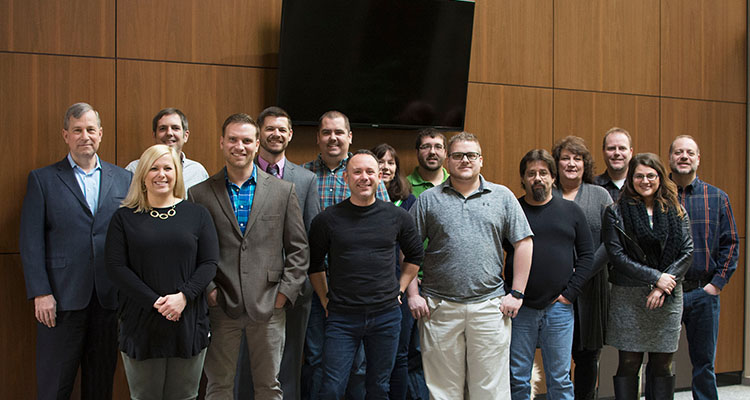
Meet Your Team
CompuCorp was formed over 30 years ago as a software development company specializing in custom software solutions for business and accounting applications. As the internet evolved and our clients’ needs grew, CompuCorp expanded its scope to include hardware and consulting services, local and wide area networking, and VoIP services. In January 2017, CompuCorp merged with MAXtech, and is now able to provide expanded IT services, website development, hosting services and digital marketing.
Our client list includes more than one thousand businesses located throughout Ohio and the Midwest, ranging from financial institutions and medical practices to government entities, educational institutions and non-profit organizations. We have worked with many federal, state and local government agencies, and we’re authorized by most of our vendors to provide government pricing and educational discounts to school systems.

Why CompuCorp?
We enjoy a challenge and we’re confident we can help you with whatever IT quest you have. Perhaps you want to connect multiple offices together or reduce your company’s I.T. costs, maybe add a more secure firewall or speed up your network performance. We can design and implement a plan to resolve any of these issues and many more.
About our Clients
In 2001, after configuring their routers, we were selected by Spectrum as their preferred vendor for their Business Class Spectrum router installations. We are one of the only authorized dealers for Roadrunner Business Class services in Ohio. We are pleased they selected us based on our technical experience and knowledge.